
V6 · Voice cloning · Custom models
Suno AI Music Creation PlatformYour voice. Every style.
Upload about 20 seconds of vocals to clone your voice, or train a custom model. From pop to cinematic scores, Suno V6 makes personal AI music practical.
Featured tracks
Browse WorksAI Music Generator
Create full songs with vocals and instruments from simple text prompts in your browser.
Suno AI Song Examples
Explore real AI-generated music examples with vocals and lyrics. Covering Pop, EDM, Lo-Fi, Jazz, Metal, Corporate, and Rock — perfect for YouTube, TikTok, Reels, and more.
Velvet After Midnight
Suno AI
Moon Tide
Suno AI
Old Mill Road
Suno AI
Crowned in Ash
Suno AI
Upward Motion
Suno AI
Paper Boats
Suno AI
Midnight Runaway
Suno AI
Back Seat Gospel
Suno AI
What is Suno AI?
Suno AI is the latest generation AI music model. It turns short text prompts into fully produced songs, including vocals and instrumental backing tracks.
Studio-grade sound
Cleaner mixes, better dynamics, and balanced frequency response so tracks are ready for streaming.
Authentic vocals
Improved vocal modeling adds breath, emotion, and natural phrasing that feels close to a real studio singer.

Longer songs
Generate full-length tracks of several minutes with coherent verses, choruses, and outros.
Intelligent arrangement
Automatically structure your song with verses, choruses, bridges, or follow your custom layout.
SUNO V6
Three core Suno upgrades
From generic generation to personal AI music — voice, style, and taste that stay yours
Pro / Premier
Voice Clone · Voices
Upload 20 seconds to 8 minutes of vocals and clone a voice that can sing across pop, rock, electronic, and more with clearer breath and articulation.
Record a clean take → Suno learns → sing any style in your voice
Pro / Premier
Custom Models · Custom
Upload at least 6 original tracks you own. Suno learns your arrangement habits in about 2–5 minutes — up to 3 custom models per user.
Upload 6 originals → train your style → keep output consistent
All users
My Taste
Suno learns the genres, moods, and artist vibes you return to, then applies them when you use Magic Wand auto-generate.
The more you listen → the closer suggestions get
Start here
Our most useful Suno AI guides and listening examples — updated for 2026 pricing, downloads, and Studio.
More Ways to Create with Suno AI
Beyond text-to-song generation, Suno AI helps you extend unfinished music and add vocals to existing instrumentals.

Step 1
Extend Drafts with Music Extender
Turn short hooks, unfinished demos, or partial sections into longer and more complete songs while keeping the original mood.
- ✓Continue a promising chorus, intro, or melodic fragment into a fuller track.
- ✓Expand structure with smoother verses, transitions, and endings.
- ✓Keep the core vibe of your original idea while generating the next section.

Step 2
Add Vocals to Existing Music
Start from a backing track you already like, then add vocal layers, test toplines, and build faster demos.
- ✓Keep the instrumental bed and focus only on the new vocal direction.
- ✓Add a vocal layer to explore hooks, singer energy, and lyric delivery.
- ✓Validate toplines and demo ideas faster before full production.
How to Use Suno AI
Get started in minutes — no music theory required.
Toggle Custom Mode
Turn on Custom mode if you want full control over style and settings.
Write your idea
Describe the genre, mood, tempo, and vocal style you want in a text prompt.
Choose vocals or instrumental
Select whether you want vocals, instrumental only, or both.
Select a model
Pick the latest Suno model for the best quality output.
Generate your song
Click generate and wait 1-2 minutes for your complete track.
Preview, refine, and download
Listen, tweak your prompt, extend sections, and download when ready.
Why Use the Suno AI Music Generator
No setup, no code
Just log in, write your idea, and hit Generate — music creation made simple.
Prompt templates for creators
Ready-made prompts for YouTube intros, TikTok hooks, Spotify-style tracks, and game music.
Fast iteration
Generate multiple versions, tweak prompts, and save your favorites in one place.
Export-ready output
Download your songs for Premiere Pro, Final Cut, DaVinci Resolve, or your favorite DAW.
Explore Music Styles
From pop and rock to jazz and ambient — find the sound that fits your project.
Who is Suno AI Music Generator For?
Whether you're a content creator, brand marketer, or music lover, Suno AI helps you generate high-quality music instantly
Filmmakers & Video Creators
Custom scoring for ads, brand videos, product demos, and documentaries
- •Generate mood-matching soundtracks that sync with edits
- •Support for multiple styles (cinematic, ambient, action)
- •Royalty-free, suitable for commercial projects
- •A/B test emotions and vocals for the perfect version
Podcasters & Live Streamers
Create intro themes, background music, and transition sounds
- •Build a unified brand audio identity
- •Batch-generate soundtracks by season or theme
- •Match live stream atmosphere in real-time
- •Multi-theme preview to keep the best version
Short-Form Video Creators
Quick scoring for TikTok, Reels, and Shorts
- •15-60 second loops optimized for trending content
- •Build reusable music library by mood tags
- •No copyright takedown risks
- •Perfect for daily posting content calendars
Musicians & Songwriters
Turn lyric drafts into quick demos, explore multiple arrangements
- •Quickly validate melodies and arrangement ideas
- •Export stems to DAW for fine-tuning
- •Compare multiple versions to refine structure
- •Break through creative blocks and find inspiration
Advertising & Marketing Agencies
Custom music for brand campaigns and social media ads
- •Produce 5-30 second hooks, jingles, and sound effects
- •A/B test emotions and vocals before launch
- •Adapt audio for different platforms
- •Reusable and extendable brand audio assets
Game Developers & Interactive Media
AI-powered scoring for games, trailers, and scene soundtracks
- •Batch-generate different moods by scene/level
- •Adapt to loop and dynamic switching needs
- •Reduce music production costs for indie games
- •Quickly create atmospheric trailer music
Commercial Spaces & Retail Brands
Custom background music for retail, hotels, gyms, and cafes
- •Generate unified audio experiences by brand identity
- •Adapt to different time-of-day atmospheres
- •No traditional music licensing concerns
- •Create a unique brand sound identity
Educators & Students
Music resources for teaching videos, class projects, and campus events
- •Generate background music for teaching scenarios
- •Let students experience AI music creation
- •No copyright restrictions for school projects
- •Lower the music production barrier for multimedia courses
Find your role and start your AI music journey today
🚀 Create Songs Free→Loved by Creators
5M+ songs generated worldwide

Alex Chen
Content Creator
“Suno AI changed how I add music to my videos. It's incredibly fast and the quality is amazing.”
Maria Santos
Podcast Host
“I created a custom intro theme in 10 minutes. No studio needed!”
James Wu
Indie Filmmaker
“The variety of styles lets me find the perfect mood for every scene.”
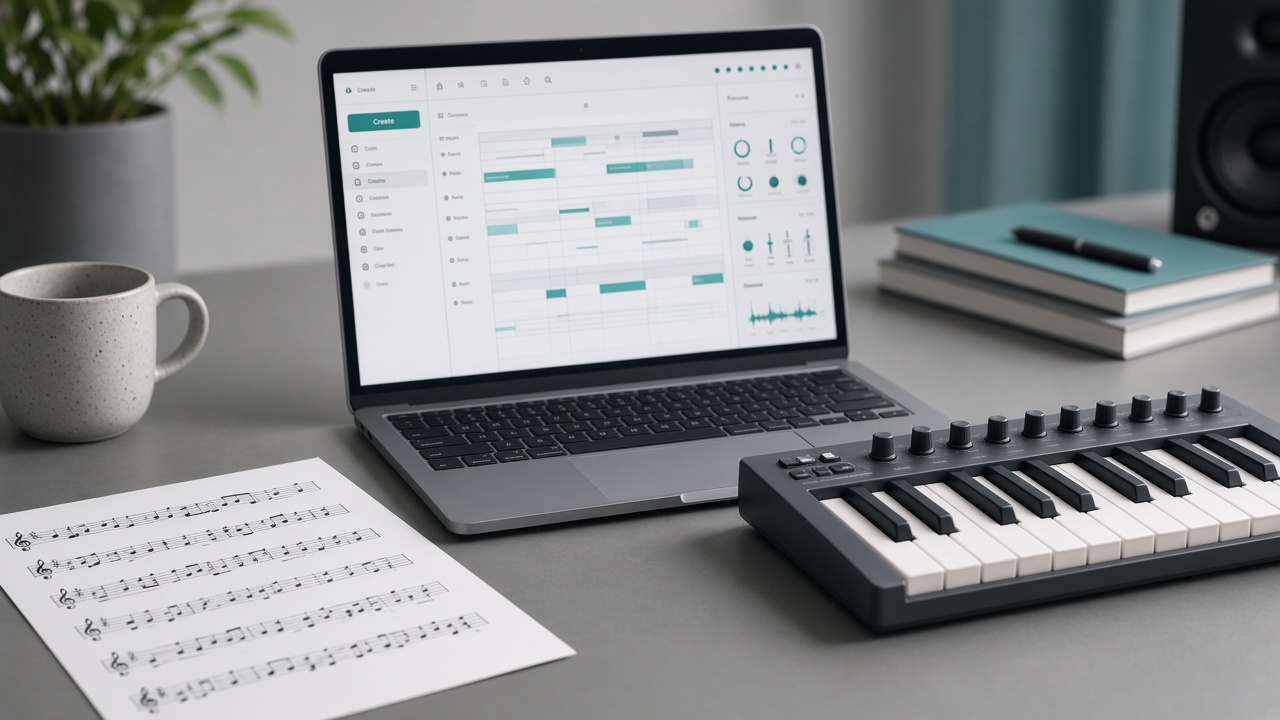
Suno MIDI Upload: Start Songs from Your Melody in Create
Upload .mid/.midi in Suno Create, then prompt for exact notes, motif development, or new instrumentation. Pro/Premier; launch uses Simple + v6-wild.
Publish a Suno Album: Playlist Convert and Checks
Album vs Playlist on Suno, Make Album from Playlist steps, and how to avoid publishing draft takes with Publish Album.
Suno MCP Guide: Make Songs in Claude or ChatGPT
Suno MCP beta: connect Claude, ChatGPT, or Cursor to api.suno.com/mcp—no API key, uses credits, songs land in your library.
Suno AI Tutorials
Step-by-step guides from beginner to advanced

Getting Started with Suno AI
Make your first Suno AI song in minutes: pick a mode, paste a six-part prompt, generate two takes, and keep the chorus that actually works.

Writing Effective Prompts
Learn Suno AI prompt engineering to get better music results: specify genre, tempo, mood, vocals and instruments, then iterate with clear templates so generatio

Extending Your Songs
Turn a strong 90-second hook into a full Suno track: extend with a continuation prompt, trim the seam, and stop before the form falls apart.
Suno AI FAQ
Answers on AI songwriting, text-to-music, text-to-image, AI video, V6, voice cloning, copyright, credits, and membership
What is new in Suno V6?
V6 is the current flagship model. It keeps the V5.5 personalization stack — Voice Clone (Voices), Custom Models, and My Taste — and improves coherence and everyday song quality. Everyday prompting still works; choose V6 when you need a stable singer identity and style. V5.5 remains available as the previous personalization generation.
What is Suno AI? Can I write songs online with text to music?
Suno AI is an AI music generator for creators: turn natural language or custom lyrics into full songs with vocals or instrumental beds. On suno.skin you can open the online studio for AI songwriting, short-video music, ads, and indie drafts—then preview, download, and manage tracks in your account.
How much audio do I need for Suno voice cloning?
On supported plans and models, upload about 20 seconds to 8 minutes of vocals. Acapella, backed, or live takes can work; cleaner diction usually clones better. After matching, you can sing across many genres in that voice.
Can I use Suno-generated songs commercially?
It depends on your plan: Free: typically personal, non-commercial use only. Pro / Premier: songs generated during an active subscription usually include commercial rights for streaming, film, YouTube monetization, and more — with no revenue share to Suno. Always check in-product terms for limits. If you need commercial use, generate while subscribed — upgrades usually do not grant rights retroactively.
Does Suno support multiple languages and non-English vocals?
Yes. Suno can generate vocals and lyrics across many languages. V6 improves articulation for non-English singing in many cases. Keep style, mood, and instruments clear in the prompt; use section tags like [Verse] and [Chorus] for structure.
How do I start creating music with Suno online?
Open /create/, enter the Suno AI music studio, pick Inspiration for speed or Custom for lyrics control, describe style and mood, then generate and iterate. Use Voices or Custom Models on supported plans when you need a personal voice or consistent style.
Inspiration mode vs custom mode?
Inspiration is one-line text to music for fast genre and mood checks. Custom locks lyrics, title, and style tags for ads and choruses. Enable instrumental for vocal-free short-video BGM or podcast openers.
Does Suno AI cost money? Free vs paid?
You can usually browse guides first. Submitting songs and full downloads typically need sign-in and membership. Membership credits power AI songwriting; permanent packs add lasting fuel. Exact credits, downloads, and Voices access are shown in the studio and pricing page.
How do credits work? What does the number on the create button mean?
Credits are usage units. After you pick a model, the create button shows an estimate; the submitted result is authoritative, with refunds on failure per platform policy. Your account lists membership, permanent, and other credit buckets plus the ledger.
How should I write Suno prompts?
Use [Style] + [Mood] + [Tempo/Energy] + [Instruments] + [Vocals] + [Use case]. Change one variable at a time; put the hook in the chorus. Style tags and My Taste help keep results consistent.
Can I generate instrumental / short-video BGM only?
Yes. Enable instrumental in the studio for vocal-free beds suited to voiceovers, trailers, game ambience, and podcast openers. Name the use case and instrumentation in the prompt for stabler results.
How do I cancel renewal? Does access end immediately?
Cancel renewal from Orders in your account. Cancellation usually takes effect at the end of the current billing period; benefits remain until then. Check the orders page and plan terms for details.
Besides AI songwriting, can suno.skin create AI images and AI videos?
Yes. Under AI Create you get Suno AI music plus AI image and AI video studios. Text/image-to-image and text/image-to-video stay on-site with login, models, credits, and preview—no new site for each modality.
Text to image vs image to image vs references—how do I choose?
No base image → text to image. Keep the subject, change style/light → image to image. Lock face/product across a set → references. Local polish → image edit. Pick GPT Image, Seedream, FLUX, and more by task.
Text to video vs image to video—good for short video?
Text to video starts from words; image to video animates a still. Need character continuity → references; need a few more seconds → extend. Fits short-form hooks, ad openers, and product motion with Seedance, Veo, Kling—state platform and duration in the prompt.
Do AI image and AI video use the same credits?
Yes. Music, image, and video share balance and refund policy, while modes and drafts stay per studio. The create button shows estimated points; video cost often scales with duration and resolution.
Can I switch between music, image, and video studios?
Yes. Open each entry from the home page or the AI Create sidebar, or start at /create/. A common chain: lock visuals in image create → image-to-video → score in music create—all on suno.skin.